Time blocking planner for iPhone, iPad, Mac and Apple Watch
The day you planned.
The day you had.
Side by side.
PlanLog puts your plan and your log on one timeline. Start a timer with one tap, then see exactly where your time went.
- No account
- No ads
- No tracking
- Korean · English · Japanese
01
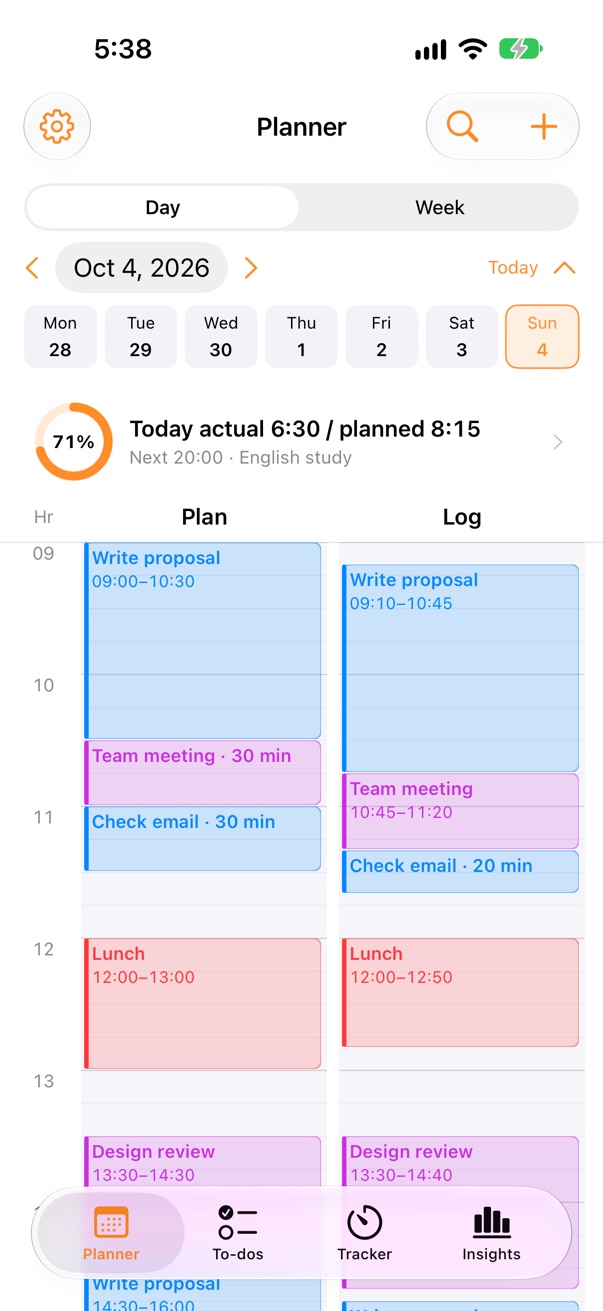
Plan and log, side by side
Plan on the left, what you actually did on the right. Drag to create and move blocks, drop a plan onto the log to record it, and spot empty hours at a glance.
- Drag to plan in 5-minute steps
- Add plans in plain words: “tomorrow 3pm report 2h”
- Apple Calendar events in the same view
02
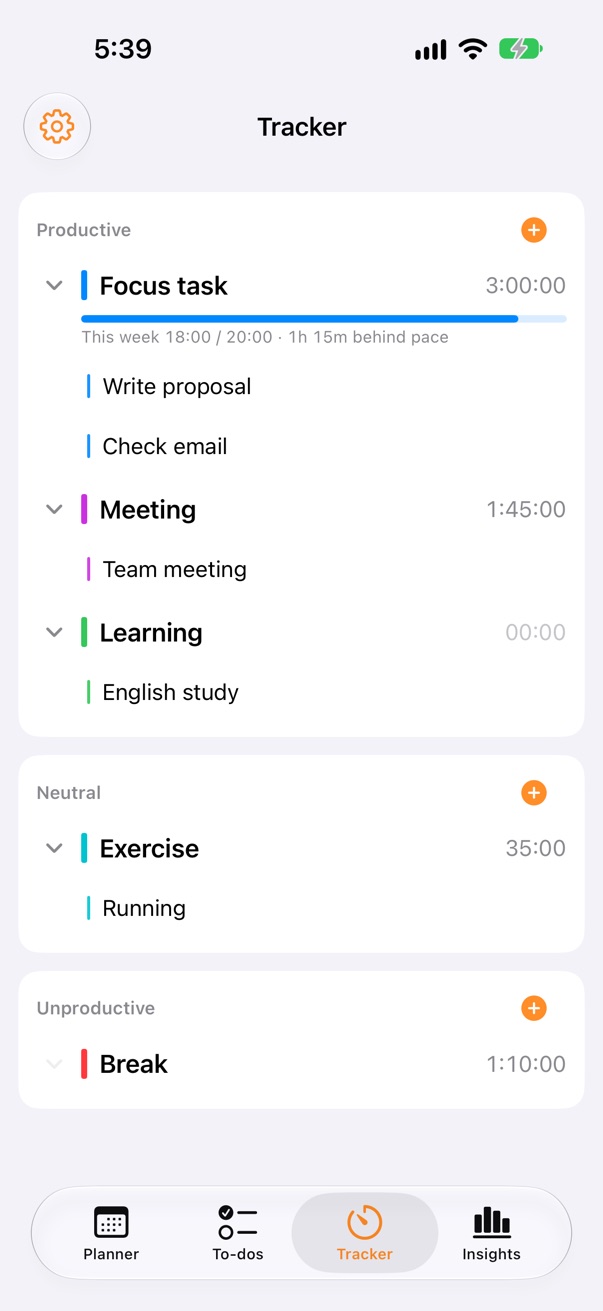
One tap to start
Keep the things you do often as Frequent Tasks. Tap once and the timer runs, with Live Activities, the Dynamic Island, widgets, Control Center and Siri.
- Pomodoro and open-ended timers
- Productive, neutral and unproductive categories
- Weekly goals per category
03
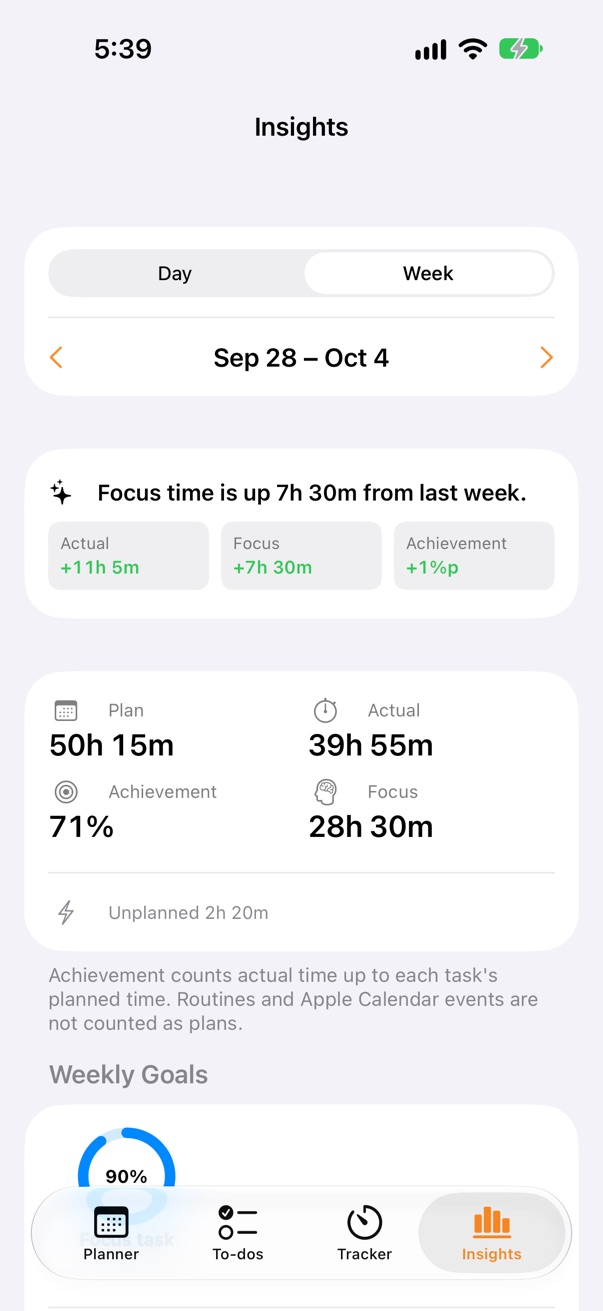
See where your time went
Daily and weekly plan vs. log, completion rate, focus time and a one-line comparison with yesterday or last week.
- Charts by weekday and category
- How long tasks really take compared with your plan
- Simple, explainable suggestions for next week
04
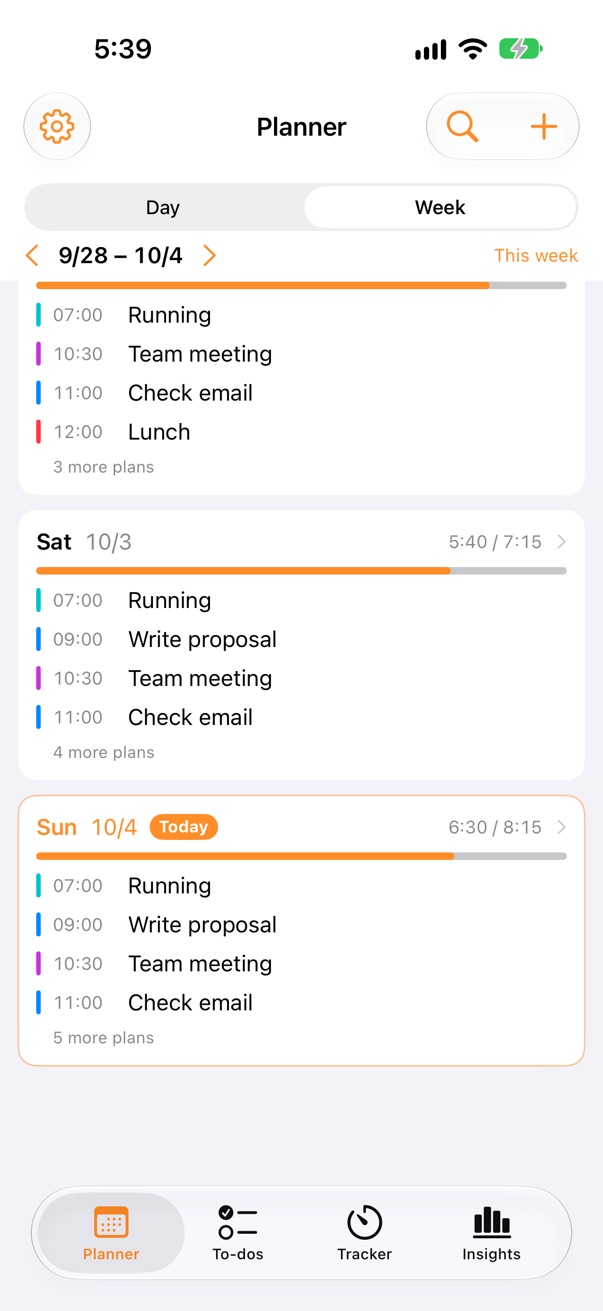
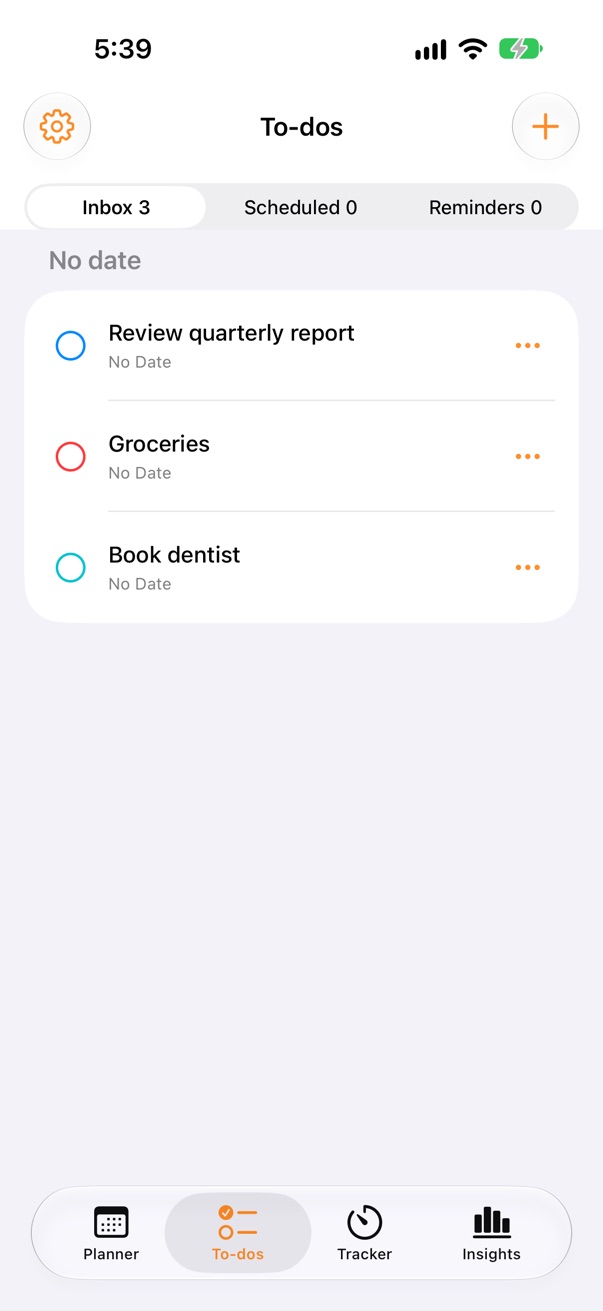
To-dos that turn into time
Collect to-dos in the Inbox, give them a date, or place them on your timeline. Apple Reminders stay in their own list.
- Inbox · Upcoming · Reminders
- End-of-day review moves unfinished work to tomorrow
- Export everything as CSV or JSON
How it works
- 1
Plan
Block out your day on the plan column.
- 2
Log
Tap a Frequent Task or drop a plan onto the log when you do the work.
- 3
Review
At day’s end, compare plan and log, then plan a better tomorrow.
Pricing
Everything you need to plan and log is free. Premium removes limits.
Free
$0
- Plan and log timeline
- Timers, Pomodoro, widgets
- To-dos and Apple Calendar/Reminders
- 5 Frequent Tasks · 1 weekly goal
- Insights for the last 7 days
Premium
$19.99/year
Launch price — moves to $29.99/year later; subscribers who join now keep this price · or $2.99/month · yearly plan includes a 14-day free trial
- Unlimited Frequent Tasks
- Unlimited weekly goals
- Insights for any period
- Everything in Free
Prices in USD. Local prices are set by the App Store. Subscriptions are managed in your Apple Account.
Questions
Where is my data stored?
On your devices and, with iCloud sync on, in the private iCloud database of your Apple Account. PlanLog has no account and no server of its own, and the developer never receives your plans or logs. See the privacy policy.
Can I sync between devices?
Yes. Your iPhone, iPad and Mac signed in to the same Apple Account sync through iCloud. It is on by default and can be turned off in Settings > Sync.
What happens to my data if I stop Premium?
Nothing is deleted or locked. Frequent Tasks and goals you already made keep working; you just can’t add more beyond the free limits.
How do I cancel or restore a subscription?
Subscriptions are handled by Apple. Cancel anytime in Settings > Apple Account > Subscriptions. To restore, open PlanLog Settings and tap Restore Purchases.
Does PlanLog change my Apple Calendar or Reminders?
Only if you turn on writing back in Settings. By default PlanLog only reads the calendars and lists you choose.
Something is wrong. What should I send?
Please email your app version (Settings), device model, OS version and the steps that lead to the problem. A screenshot helps.
Get in touch
Questions, bug reports and feature ideas are welcome. We usually reply within a few days.
planlog.support@icloud.com